Logis Inbox · driver messaging and status updates inside your transport software
Logis Inbox is the messaging built into Logis transport management software. Every order, carriage, vehicle and partner carrier has its own thread. What a driver taps in the Logis driver app — arrived, loaded, late, a problem — lands in the same chronology as what the office writes about it, and the decision each status change asks for is a button on the card, not a phone call.
Included in every plan · Drivers write from the free Logis driver app · Eight languages, translated by Logis AI Soon
Logis Inbox is the messaging module of Logis, a transport management system for road freight carriers in Europe. It replaces WhatsApp groups, phone calls and email between dispatchers and drivers with one thread per carriage, order, vehicle or partner. Drivers write and report status from the Logis driver app; the office reads, decides and answers from the web app. Every message and every status change stays on the record it is about.
Thirty days free, no card, nothing to cancel. Your first thread starts on your first carriage.
Updated 5 Oct 2026 · Applies to Logis web and the Logis driver app · Available in English, German, French, Spanish, Dutch, Lithuanian, Polish and Russian
01 · One feed for the whole company
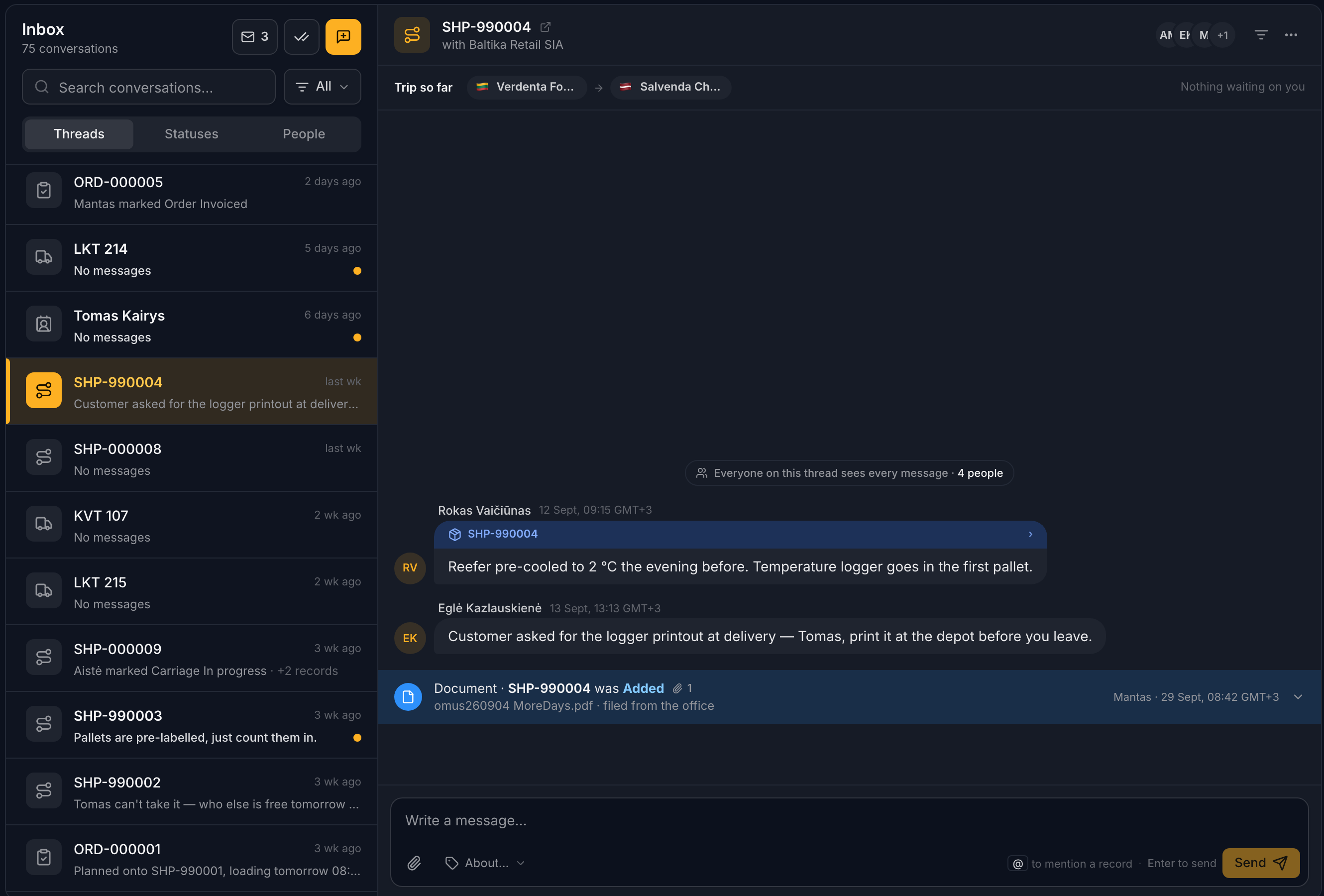
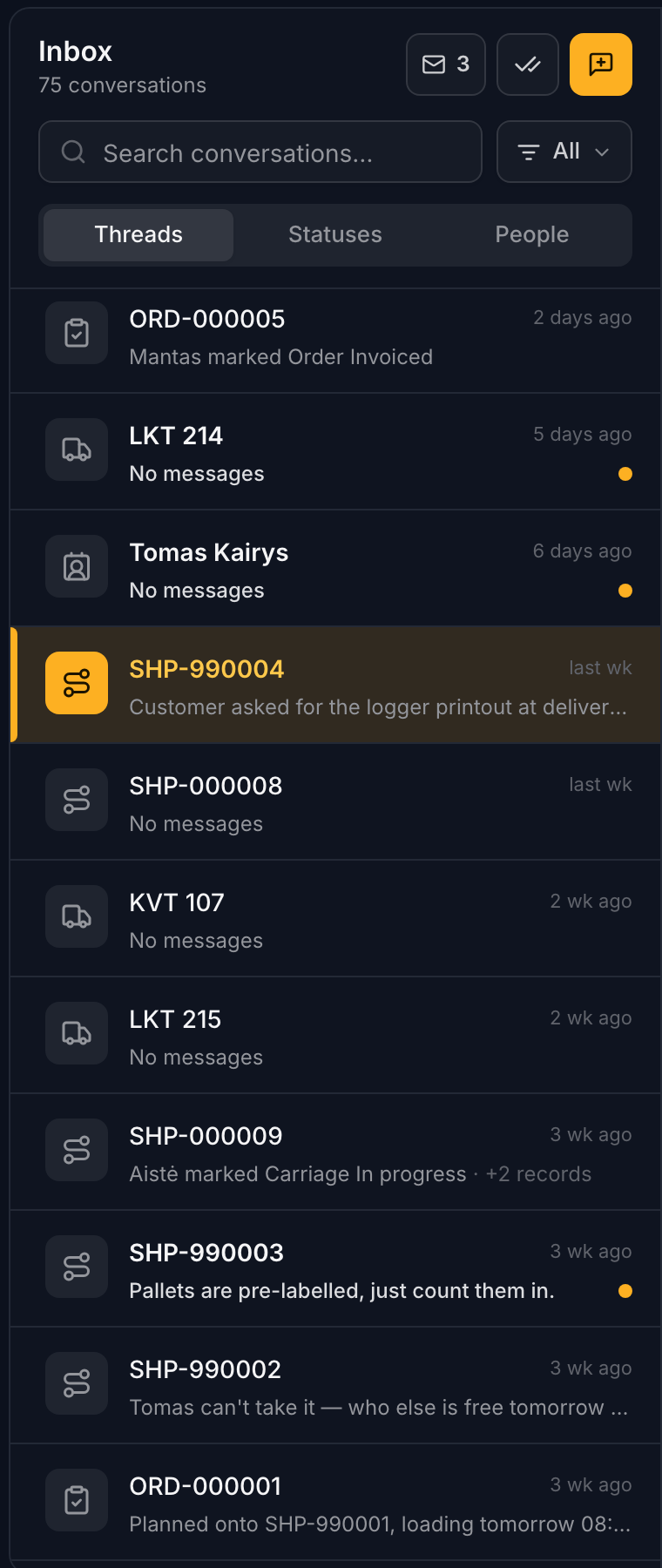
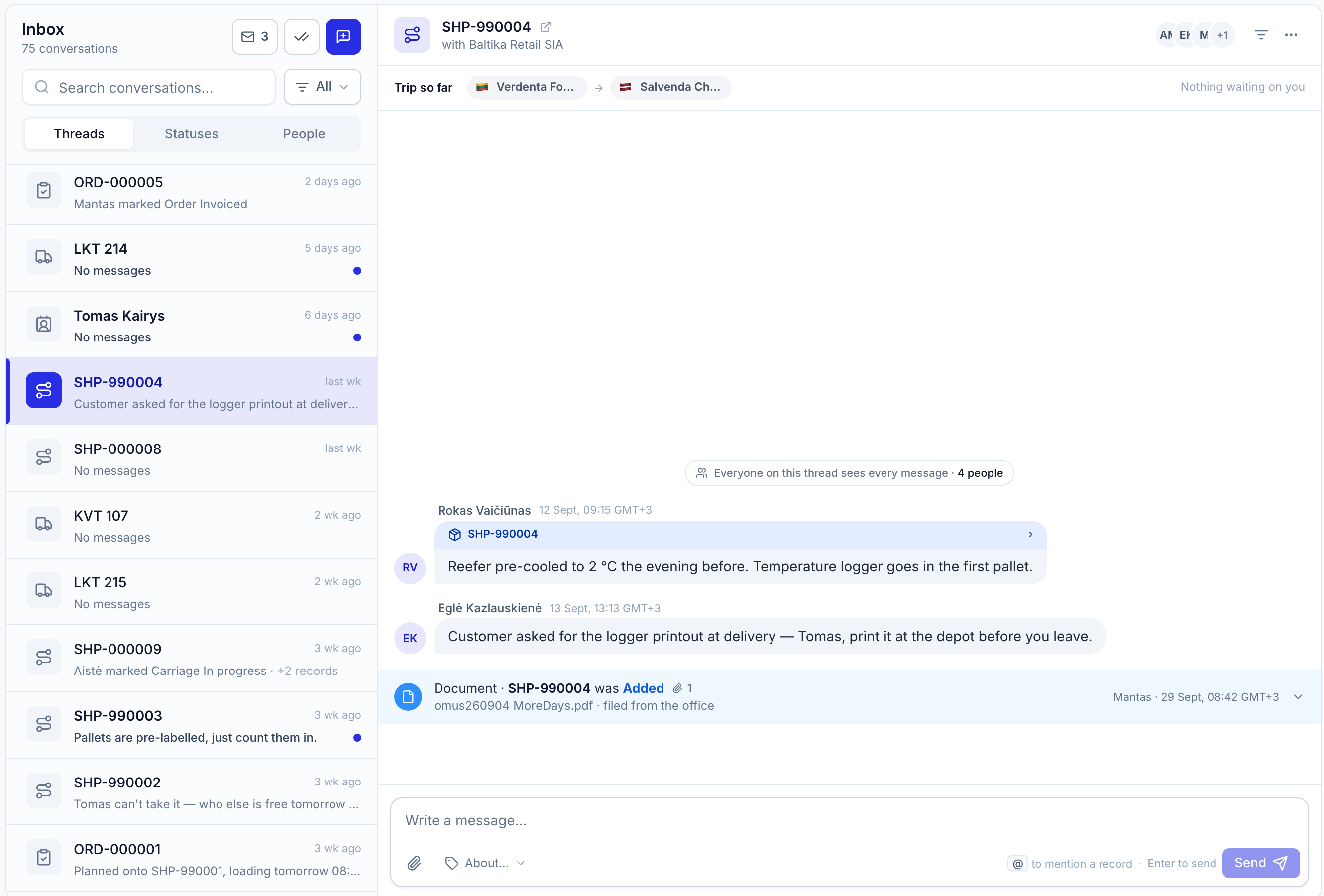
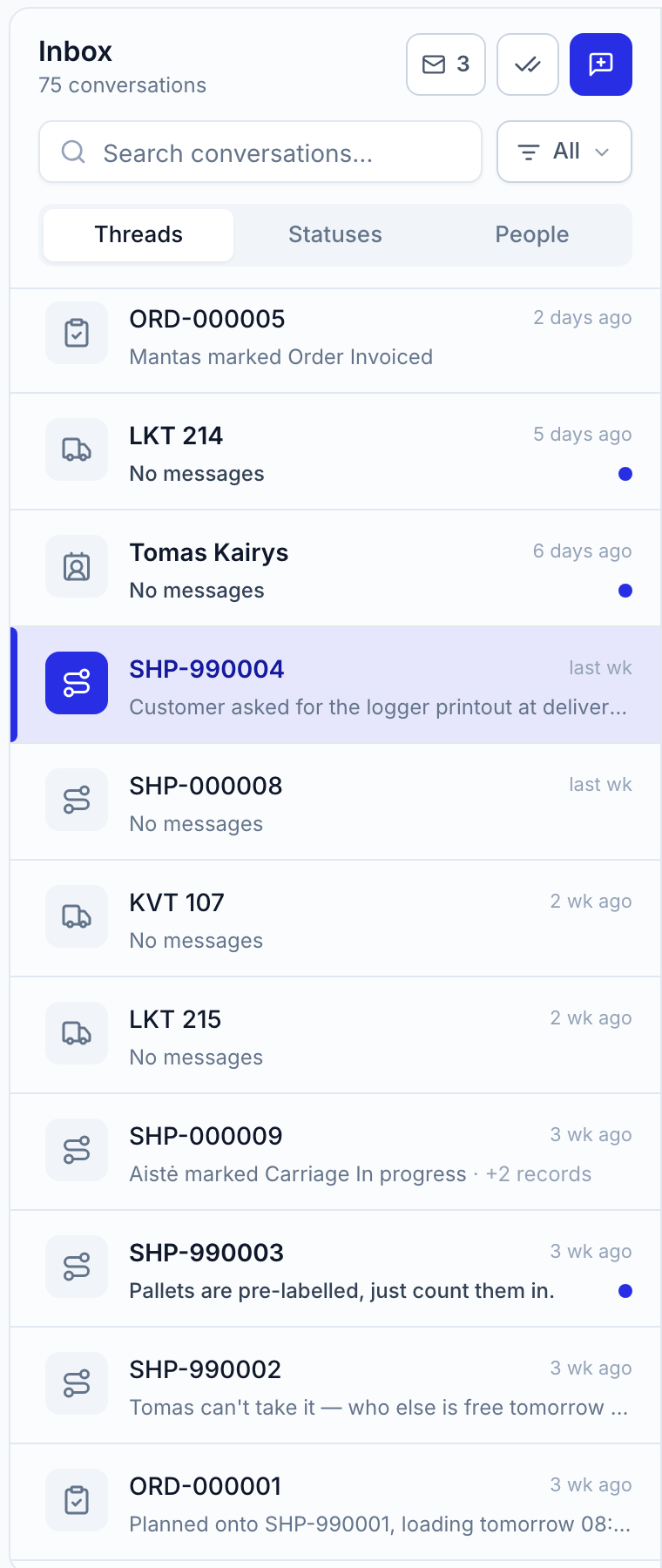
The Inbox is a single feed of every conversation in your company. Cargo, Orders, Carriages, Fleet, Companies, Contacts, Locations, Drivers and Network are the same feed filtered by what a thread is anchored to — so a dispatcher reads the trips, an accountant reads the partner companies, and nobody searches a group chat for a photo.
Start a thread from any record’s Messages tab and it is already in the Inbox. A card that still needs an answer is framed until somebody gives it one.
02 · Carriage status updates
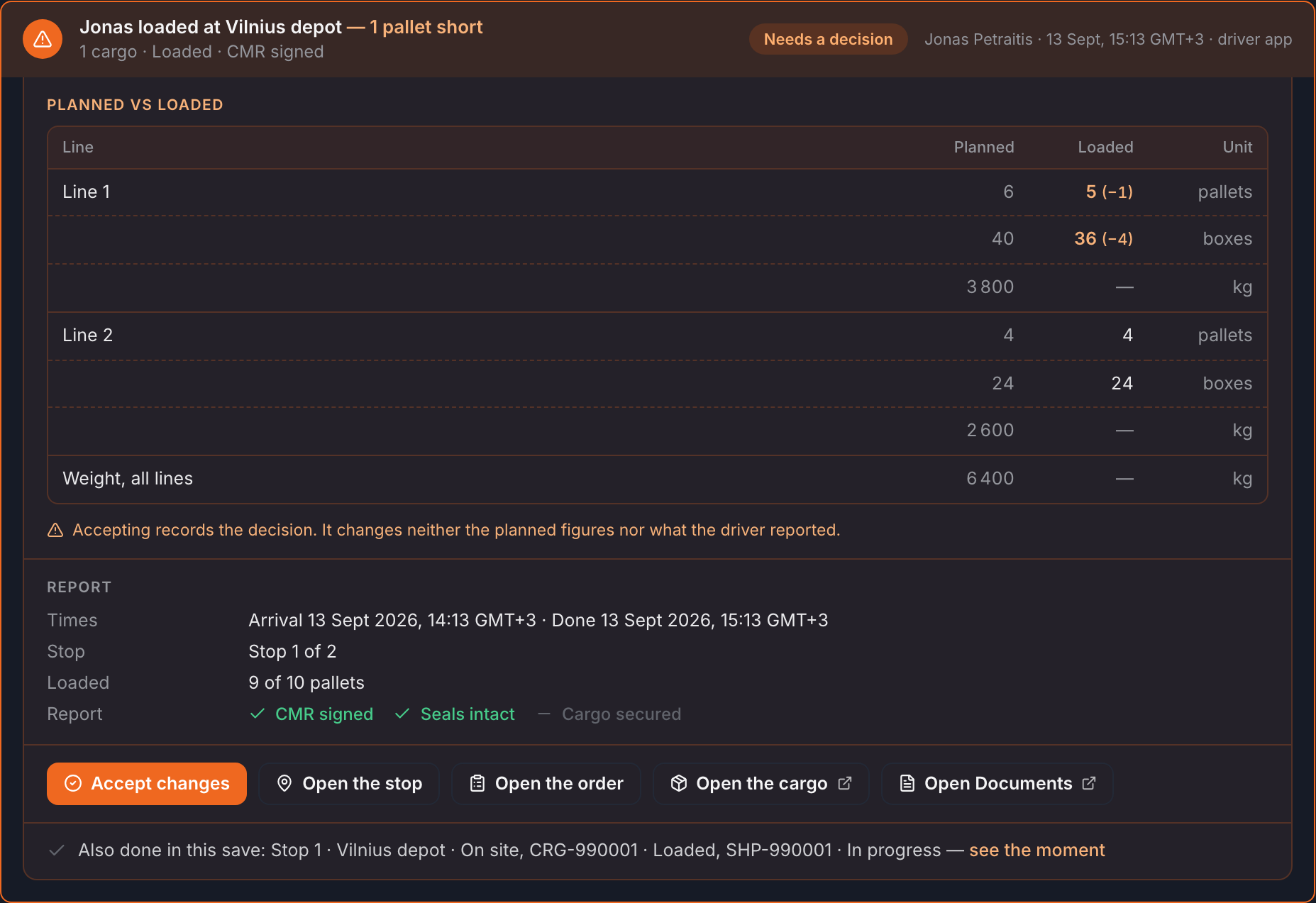
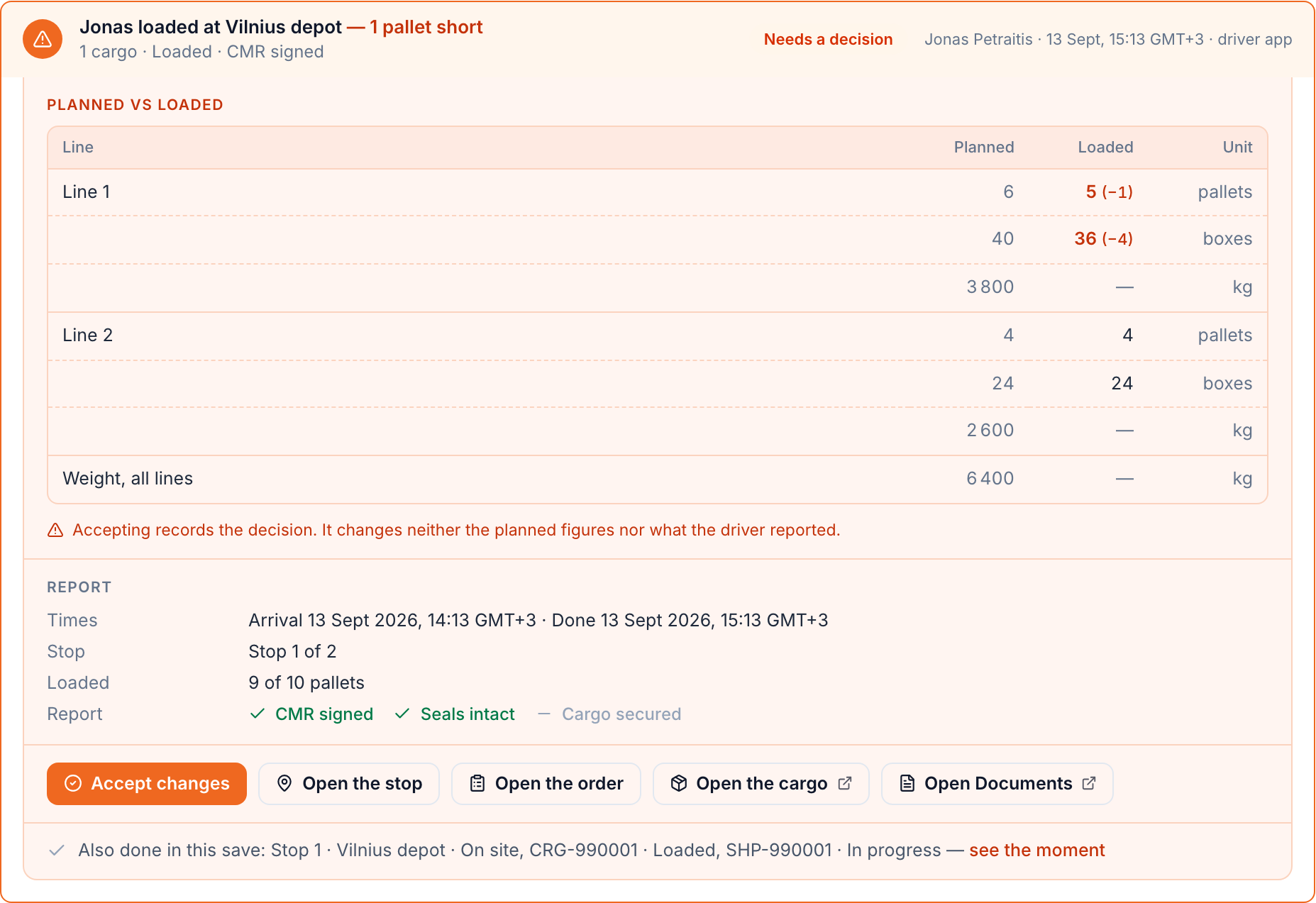
Arrived, loaded, unloaded, late, a problem at the dock: each is a tap on the stop sheet in the driver app and a card in the carriage’s thread. The colour says what kind of moment it is before you read a word. Amber is a natural stage. Orange is an escalation. Red is a problem. Green is done. Grey is the system recording what happened. Blue is information. Purple is the network — and nothing else.
Every status card is explained on the status changes reference page, with what it means and what it asks of the office.
Natural stage — arrived against the window
Loaded as planned, report filed
03 · Decide in the thread
A card opens into its facts — planned quantities against loaded, delivery window against ETA, who reported what with which photos — and closes with the action. Acting turns the button into a receipt with a time on it and writes a line for everyone else on the thread, and the driver reads the outcome. What the driver reported stays exactly as reported.
Outcomes suggested by Logis AISoon
04 · Office and driver in one thread
Everyone on a trip reads the same thread. A note marked Internal stays in the same chronology but never reaches a driver’s phone — the database refuses it, not just the screen. Say what a message is about — a stop, a cargo line, an order — and read the thread by subject.
Everyone on this thread sees every message — Oleh included
05 · CMR, POD and photos
The photos and the CMR a driver attaches to a report arrive in the thread and on the carriage’s Documents tab at once, each with a chip for where it lives. A proof of delivery shared with a network partner says so in purple. Everything opens in a new tab; nothing has to be forwarded by email.
CMR-000041.pdf
Andrius K. · 08:41
06 · Subcontracting over the Logis Network
Subcontract a load to a network partner and the handoff gets a transfer number both companies quote and one thread both companies read. Their driver’s status changes land in your inbox like your own driver’s. Your internal notes and your customer price never cross.
Read about the network inboxTRF-000012 · €1,720 agreed · answered in 2 h 14 min
07 · How it works
Nobody types a status. The driver app writes it, the thread shows it, the office decides on it, and the record keeps it.
Step 1
The driver reports from the stop sheet
Arrived, loaded with counts, late with a reason, or a problem with photos — one tap each in the Logis driver app, in the driver’s language.
Step 2
The card appears in the carriage’s thread
Coloured for what it asks, with planned figures beside reported ones and the evidence attached. Everyone on the thread sees it at once.
Step 3
The office decides on the card
Accept, ask, notify, resolve or reassign — the buttons are the decision. Internal notes stay with the office.
Step 4
The thread keeps the receipt
The answer is recorded on the card, the driver reads the outcome, and a line says who decided what and when — with fifteen minutes to undo.
08 · Compared
Most carriers run dispatch on a messaging app and a mailbox. The table shows what changes when the messages live on the carriage instead.
Who it is for
One thread, four readers, each seeing what their job needs.
Dispatchers
Read the trips, decide on the cards, ring the driver from the thread. Framed cards show what still needs an answer.
Owners and managers
Read every conversation across the company without being in every group. Internal notes are where margins are discussed.
Accountants
Read the partner and customer threads and see which counts were accepted before the invoice goes out.
Drivers
Report from the stop sheet in their own language and read only their trip — never the office’s notes, never other drivers’ trips.
Frequently asked
Short answers, written to be quoted. Longer ones by email: hello@uselogis.com.
Loaded figures disagree with the plan
ETA 15:40 against a 14:00 window
Consignee refuses 2 pallets
Andrius turned the trip down · back in the pool
First task filed
Recorded for everyone on the thread
€1,720 agreed · answered in 2 h 14 min
● Stop 2 · Tallinn
The gate is closed until 14:00. Waiting in the truck park.
Stay there. I’m calling the consignee to open earlier.
Detention starts at 13:00 — bill it if they hold him past two.
Kesko DC Tallinn · By phone, recorded by Rasa J.
Translation by Logis AISoon
When the driver writes Ukrainian and you read English, Logis AI will translate both ways, mark every translated line and show the original on request. Internal notes are never translated.
IMG_2041.jpg · pallet 5
Andrius K. · 08:40
IMG_2042.jpg · CMR remark
Andrius K. · 08:41
POD-000041.pdf
Kristian T. · 15:02
Delivered 14:52 · POD attached
| Whatever the driver writes |
| Whatever the driver says |
| Partner carriers | One thread both companies read; price and notes never cross | Another group; everything crosses | Forwarded chains |
|---|
| Record when it is over | The thread is the trip’s history, on the record, searchable | Scroll back through the group | Nobody is sure |
|---|